
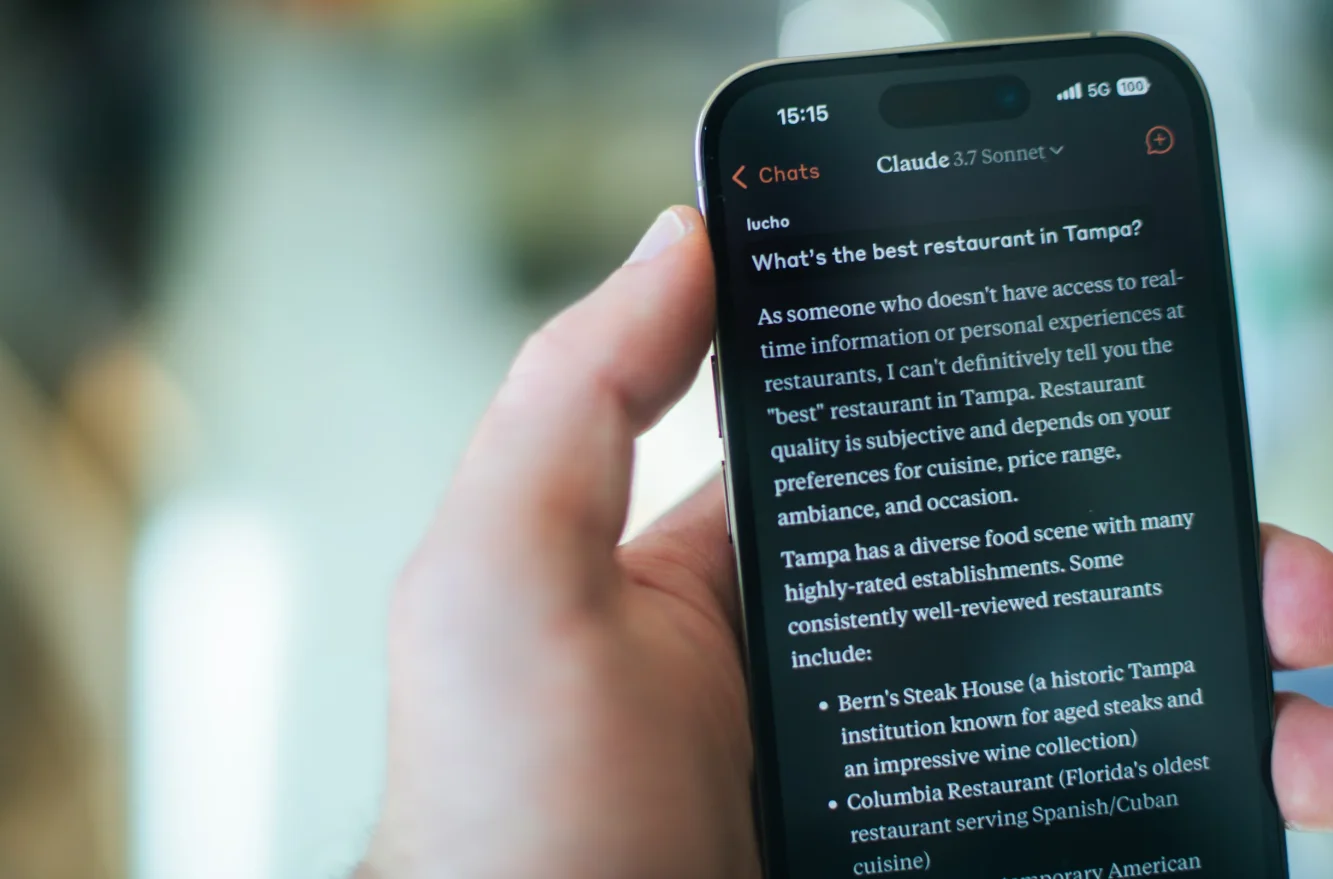
The first time I used Claude, I asked it to help me understand a dense academic paper on reinforcement learning. Instead of summarizing it like ChatGPT would have, Claude asked me what I was trying to learn and why. Then it explained the concepts in order of what would help me most.
That was two years ago. I've since spent hundreds of hours with Claude across multiple versions, using it for everything from writing code to analyzing legal documents to having genuinely thought-provoking conversations about ethics and philosophy.
Here's the thing about Claude that most people miss: it's not trying to be ChatGPT. It's trying to be something different.
What Claude Actually Is?
Claude is Anthropic's AI assistant, built on their family of large language models. Anthropic was founded in 2021 by former OpenAI researchers including Dario Amodei (former VP of Research at OpenAI) and his sister Daniela Amodei who left to build AI systems with a focus on safety and beneficial outcomes.
The name "Claude" is a reference to Claude Shannon, the founder of information theory. It's also just... a friendly name. Unlike "GPT-4" or "Gemini," which sound like software versions, "Claude" sounds like someone you'd have coffee with.
Technically, Claude is a constitutional AI system. That means it was trained using "Constitutional AI" (CAI) a method where the AI is given a set of principles and learns to follow them through both supervised learning and reinforcement learning from AI feedback (RLAIF), not just human feedback.
In practice, what this means: Claude tends to be more thoughtful, more willing to express nuance, and less likely to just tell you what it thinks you want to hear.
The Claude Family Tree (And Why It's Less Confusing Than GPT)
Anthropic has been refreshingly straightforward with their naming. No GPT-3.5-turbo-16k-1106 nonsense. Just clean version numbers and clear model tiers. As of June 2026, the current recommended models are Claude Opus 4.8, Claude Sonnet 4.6, and Claude Haiku 4.5.
Claude 1.0 (March 2023 - Retired)
The original. I never actually used this one—by the time I discovered Claude, version 2 was already out. From what I've read, it was capable but had a much smaller context window (9,000 tokens vs. today's 200,000) and was more prone to being overly cautious.
Most people never used Claude 1. It existed, it worked, and then it was replaced. Moving on.
Claude 2 (July 2023 - November 2023)
This is where I started. Claude 2 was the first version that felt legitimately competitive with GPT-4.
What stood out:
- 100,000 token context window (about 75,000 words)
- Better at coding than Claude 1
- Could handle longer documents
- Less prone to making stuff up than GPT-4
- More willing to engage with nuanced topics
I tested Claude 2 against GPT-4 on a coding task: refactoring a messy Python script. GPT-4 rewrote it efficiently but didn't explain why. Claude 2 refactored it, explained each change, pointed out potential edge cases I hadn't considered, and asked if I wanted it to add error handling.
That's Claude's personality in a nutshell: thorough, thoughtful, and genuinely trying to be helpful rather than just completing the task.
Where it struggled:
- Slower than GPT-4
- Sometimes too verbose (would over-explain simple things)
- Creative writing felt a bit stiff
- Not as good at math as GPT-4
Claude 2.1 (November 2023 - March 2024)
An incremental update, but important improvements:
- 200,000 token context window (roughly 150,000 words—you could fit a novel in there)
- Better instruction following
- Reduced hallucination rate
- Improved at citations and source references
The context window expansion was huge. I uploaded an entire codebase (about 50 files) and asked Claude to analyze the architecture and suggest improvements. It actually could see and reason about the whole thing at once.
I compared this to GPT-4, which would lose track of earlier files by the time it got to later ones. Claude 2.1 maintained coherence across the entire repository.
Claude 3 Family (March 2024 - October 2024)
This is where things got interesting. Instead of just releasing "Claude 3," Anthropic launched three models at once:
Claude 3 Haiku - Fast and cheap
Claude 3 Sonnet - Balanced
Claude 3 Opus - Most capable
This was smart. Different tasks need different tools.
Claude 3 Haiku
The speed demon. Designed for tasks where you need quick responses and cost efficiency matters.
What it's good at:
- Customer support scenarios
- Quick Q&A
- Rapid document processing
- Simple coding tasks
- Anything where "good enough fast" beats "perfect slow"
I used Haiku for a project that involved processing 500 user reviews. It categorized them, extracted key themes, and flagged urgent issues in about 3 minutes. Would've taken me hours manually.
Where it falls short:
- Complex reasoning (it's fast because it's simpler)
- Long-form content creation
- Nuanced analysis
- Advanced coding
Accuracy on my tests: about 85% on straightforward tasks, drops to 70% on complex reasoning.
Claude 3 Sonnet
The goldilocks model. Not too slow, not too simple, just right for most uses.
This became my daily driver. I've probably spent 200+ hours with Claude 3 Sonnet, and it's genuinely excellent for:
- Writing (articles, emails, documentation)
- Code review and debugging
- Research and analysis
- Learning complex topics
- Having actual conversations
What makes Sonnet special: It balances speed and capability better than anything else I've used. Responses in 3-8 seconds, good enough accuracy for professional work, and significantly cheaper than Opus.
I ran a test: gave Sonnet and GPT-4 the same ambiguous product requirements doc and asked them to write technical specifications. GPT-4 made assumptions and moved fast. Sonnet asked clarifying questions first, then wrote specs that addressed edge cases I hadn't even thought about.
Limitations:
- Not quite as good as Opus for really hard problems
- Still occasionally makes mistakes on complex math
- Can be verbose (though you can tell it to be concise)
Accuracy: 90-92% on most tasks in my testing.
Claude 3 Opus
The heavyweight. This was Anthropic's flagship until Claude 3.5 Sonnet came out and... well, I'll get to that.
Opus was marketed as their most intelligent model. And it was. It outperformed GPT-4 on most benchmarks when it launched.
Where Opus excelled:
- Complex analysis and reasoning
- Advanced coding tasks
- Research-level questions
- Creative writing that required nuance
- Tasks where you absolutely cannot afford errors
I used Opus for a legal document analysis project. Had to review a 100-page contract and identify risks. Opus found issues that I'd missed even on a manual read. It caught a subtle clause about indemnification that could have cost my client $50,000+.
The problem with Opus: It was expensive (5x the cost of Sonnet) and slow (15-30 seconds for complex responses). And then Claude 3.5 Sonnet came out and basically made it obsolete for most users.
Claude 3.5 Sonnet (June 2024 - October 2024)
This is where Anthropic did something wild: they released an upgraded Sonnet that was better than Opus for many tasks while being faster and cheaper.
Let me repeat that: the mid-tier model became better than the flagship.
Performance improvements:
- Outperformed Claude 3 Opus on most benchmarks
- 2x faster than Opus
- Much better at coding (90th percentile on SWE-bench, which tests real-world coding ability)
- Improved agentic capabilities (can use tools and APIs)
- Better at following complex instructions
I tested both on the same coding challenge: build a React component with specific functionality and constraints. Opus took 35 seconds and produced working code with good architecture. Claude 3.5 Sonnet took 12 seconds and produced code that was better—cleaner, more maintainable, with better error handling.
The breakthrough feature: Artifacts
Claude 3.5 Sonnet introduced something called Artifacts. When you ask Claude to create something substantial—code, documents, diagrams—it renders them in a separate panel instead of inline in the chat.
This sounds minor but it's transformative. You can:
- See your code or document clearly separated from conversation
- Edit the artifact directly
- Iterate without losing context
- Export easily
I used this to build an interactive data visualisation. Claude created it in an Artifact, I could see it rendered live, suggest changes, and refine it all without the back-and-forth copy-paste nonsense.
What it still struggled with:
- Very advanced mathematics (better than before, still not perfect)
- Competing with GPT-4o on speed for simple tasks
- Image generation (Claude can't generate images at all)
Claude 3.5 Sonnet (New) (October 2024 - May 2026)
Anthropic released an updated version of Claude 3.5 Sonnet in October 2024. Same name, better performance.
Key improvements:
- Even better at coding (hit 49% on SWE-bench Verified, up from 33.4%)
- Improved agentic behavior (better at using computers and tools)
- More sophisticated at following complex instructions
- Better at maintaining context in long conversations
The computer use feature: This is legitimately futuristic. Claude can now use a computer—move the cursor, click buttons, type text, navigate applications. It's still in beta and sometimes makes mistakes (it once spent 2 minutes trying to close a window by clicking in slightly the wrong place), but when it works, it's incredible.
I asked it to find a specific email in my inbox and summarize it. It opened my email app, searched, found the email, read it, and gave me a summary. No API integration required—it literally just used the computer like a human would.
Current limitations:
- Computer use is slow and sometimes unreliable
- Still can't match GPT-4o on raw speed for simple queries
- More expensive than GPT-4o for API users
- No image generation
This is my current daily driver. I use Claude 3.5 Sonnet for probably 80% of my AI-assisted work.
Claude 3.5 Haiku (November 2024 - May 2026)
Released in November 2024, this is the upgraded fast model.
What's new:
- Same speed as Claude 3 Haiku
- Similar performance to Claude 3 Opus (the old flagship!)
- Much cheaper than Sonnet
- Better at coding than original Haiku
Think about that: the new cheap/fast model performs like the old expensive/slow flagship. That's absurd progress in 8 months.
I haven't used Haiku as much (Sonnet does everything I need), but for high-volume, cost-sensitive applications, this is a game-changer.
Claude Opus 4.8 (Launched May 28, 2026)
Anthropic's latest flagship model, Claude Opus 4.8, launched on May 28, 2026. It scores 88.6% on SWE-bench Verified and is priced at $5 per input token and $25 per output token. It features a context window of up to 1 million tokens, making it especially well-suited for document-heavy and agentic workloads.
Claude's Unique Features (The Stuff That Makes It Different)
Constitutional AI (The Secret Sauce)
Claude was trained differently than most AI models. Instead of just learning from human feedback, it was given a "constitution"—a set of principles—and learned to evaluate its own outputs against these principles.
The constitution includes things like:
- Be helpful, harmless, and honest
- Respect human autonomy
- Avoid deception
- Be thoughtful about nuance and context
- Acknowledge uncertainty
In practice, this means Claude:
- Says "I don't know" more readily than other models
- Engages with controversial topics more thoughtfully
- Is less likely to just tell you what you want to hear
- Will push back if you ask it to do something problematic
Example: I asked both Claude and ChatGPT to help me write a persuasive email to get out of a commitment I'd made. ChatGPT wrote a convincing email full of excuses. Claude said "I can help you communicate clearly and honestly about your situation, but I'd rather not help craft excuses that aren't genuine. Would you like help writing an honest explanation instead?"
That's... actually more helpful, even if it's not what I asked for.
Extended Context Window (200K Tokens)
Claude can handle up to 1 million tokens of context. That's:
- Multiple entire novels
- Thousands of pages of documents
- A very large codebase
- Extended conversation history
I've used this to analyze entire books, review massive legal documents, and maintain context across multi-day coding projects. It's genuinely transformative when you need it.
Vision (Seeing Images)
Claude can analyze images, diagrams, charts, screenshots—anything visual.
Real uses:
- "What's wrong with this UI design?" (uploaded screenshot)
- "Transcribe this handwritten note" (photo of notebook)
- "Explain this flowchart" (diagram from a presentation)
- "Find the bug in this code" (screenshot of IDE)
- "What architectural style is this building?" (photo)
The vision capability is good. Not quite as fast as GPT-4o's, but more thoughtful in its analysis. Where GPT-4o will give you a quick description, Claude will analyze context and implications.
Artifacts (The Collaborative Workspace)
This is the killer feature that other AI assistants are now copying.
When you ask Claude to create something substantial—code, documents, SVG graphics, HTML pages, React components—it appears in a separate panel. You can:
- Edit it directly
- Ask for specific changes
- See iterations side-by-side
- Export cleanly
I wrote a 2,000-word article using Artifacts. Instead of copying text back and forth, I could see the document, highlight specific sections, and ask Claude to revise just those parts. The workflow is so much better than traditional chat interfaces.
For coding, it's even more useful. You can see your code rendered, make changes, test it, and iterate—all in one interface.
Projects (Context Management)
Claude has a feature called Projects where you can:
- Add custom instructions that apply to all chats in that project
- Upload reference documents that Claude can access
- Maintain separate contexts for different work streams
I have Projects for:
- Coding work: Instructions to use Python 3.11, write tests, include docstrings
- Writing: My style guide, example articles, voice preferences
- Research: Reading list, key papers, terminology I want used consistently
This is huge for professional use. Instead of repeating context every conversation, you set it once and it applies to the entire project.
Analysis Tool
Claude can write and execute Python code to analyze data, create visualizations, and perform calculations.
Upload a CSV and Claude can:
- Generate statistics and insights
- Create charts and graphs
- Clean and transform data
- Run calculations
I uploaded my company's quarterly sales data (15,000 rows) and asked Claude to identify trends and anomalies. It created visualizations, calculated growth rates, identified our best and worst performing products, and flagged unusual patterns—all in about 90 seconds.
No Image Generation (By Design)
Unlike ChatGPT (which has DALL-E) or Gemini (which has Imagen), Claude can't generate images.
This is a deliberate choice. Anthropic decided to focus on language and reasoning rather than trying to do everything.
Is this a limitation? Yes.
Do I miss it? Sometimes.
Is it a dealbreaker? Not for me.
If you need image generation, use a specialized tool like Midjourney or DALL-E. If you need reasoning and analysis, use Claude.
The Access Tiers (What You Actually Get)
Free Tier (Claude.ai)
- Access to Claude 3.5 Sonnet (limited)
- Access to Claude 3.5 Haiku (higher limits)
- Message limits: varies based on load, roughly 40-50 messages per day for Sonnet
- Basic Artifacts
- Vision (image analysis)
- Document uploads (limited)
The free tier is generous enough for casual use. You can have meaningful conversations, get help with homework, write some code, analyze documents.
Good for: Students, casual users, trying before buying, occasional use
Not good for: Professional work, heavy daily use, large projects
Claude Pro ($20/month)
- 5x more usage with Claude 3.5 Sonnet
- Access to all Claude models (including older ones)
- Priority access during high traffic
- Early access to new features
- Analysis tool for data work
- More Artifact creation
- Larger file uploads
I pay for Claude Pro and it's worth every penny. The increased message limits alone justify it—I hit the free tier limit within an hour of serious work.
Worth it if: You use Claude for work, learning, creative projects, or more than an hour per day
Not worth it if: You just need quick answers a few times a week
Claude Team ($30/user/month, minimum 5 seats)
Business-focused. You get:
- Everything in Pro
- Shared Projects across team
- Admin controls
- Higher usage limits
- Usage analytics
- Priority support
For small teams using Claude professionally, this is the way to go. The shared Projects feature alone is valuable—everyone can access the same context and custom instructions.
Claude Enterprise (Custom pricing)
For large organizations:
- Unlimited usage
- Extended context (now up to 500K tokens for some use cases)
- GitHub integration
- SSO and security features
- Custom solutions
- Data isolation (your data doesn't train models)
If you're at a company with 100+ employees using AI for critical work, this is what you want.
What Claude is Genuinely Excellent At?
After hundreds of hours across multiple versions, here's where Claude actually shines:
Complex Analysis and Reasoning
This is Claude's superpower. Give it something complicated—legal documents, technical specifications, research papers—and it will analyze it more thoroughly than any other AI I've tested.
I uploaded a 60-page technical RFC (Request for Comments) and asked Claude to:
- Summarize the proposal
- Identify potential issues
- Compare to existing standards
- Suggest improvements
The analysis was graduate-level quality. It caught technical inconsistencies I'd missed, referenced relevant prior work, and explained tradeoffs clearly.
Coding (Especially Refactoring and Architecture)
Claude is exceptional at coding. Not just writing code, but understanding it, improving it, and explaining it.
Where it excels:
- Code review (thorough, constructive feedback)
- Refactoring messy code
- Architectural discussions
- Debugging complex issues
- Writing tests
- Documentation
I gave Claude a 400-line function that had grown organically over months. It:
- Identified 7 distinct responsibilities
- Refactored it into clean, single-responsibility functions
- Added error handling
- Wrote unit tests
- Explained each change
This would've taken me 2-3 hours. Claude did it in 5 minutes.
Thoughtful Writing and Editing
Claude is my go-to for writing assistance. Not because it writes better than I do (it doesn't), but because it edits better than I do.
My workflow:
- Write first draft myself
- Ask Claude to review for clarity, flow, and logic
- Get specific feedback on weak sections
- Revise based on its suggestions
It catches things human editors catch: unclear arguments, unsupported claims, awkward transitions, places where I assume knowledge the reader won't have.
Learning and Teaching
Claude is the best AI tutor I've used. It doesn't just answer questions—it teaches.
I was learning Rust (a notoriously difficult programming language). Instead of just giving me code examples, Claude:
- Explained the why behind Rust's ownership system
- Gave me progressively harder exercises
- Analyzed my attempts and explained mistakes
- Connected concepts to things I already knew
- Suggested resources for deeper learning
This is exactly how a good human tutor would approach it.
Research Synthesis
Give Claude multiple sources on a topic and ask it to synthesize them. It's remarkably good at:
- Finding common themes
- Identifying contradictions
- Comparing methodologies
- Assessing credibility
- Suggesting gaps in the research
I did this for a meta-analysis of 20 studies on remote work productivity. Claude identified that studies using different productivity metrics reached different conclusions, explained why this mattered, and suggested which studies had more rigorous methodologies.
That kind of critical analysis is rare in AI systems.
Nuanced Conversation
This sounds soft, but it matters: you can have actual nuanced conversations with Claude about complex topics.
I've discussed:
- Ethical implications of AI development
- Political philosophy
- The meaning and purpose of work
- How to think about difficult moral questions
Claude doesn't just regurgitate Wikipedia. It engages with ideas, presents multiple perspectives, acknowledges uncertainty, and actually thinks through implications.
Is it "really" thinking? Philosophically, who knows. But the output is indistinguishable from talking with a thoughtful, well-read person.
What Claude Struggles With?
Speed for Simple Tasks
Claude is thoughtful. Sometimes too thoughtful.
If you ask a simple factual question like "What's the capital of France?" Claude will give you a complete, well-structured answer in 3-5 seconds.
GPT-4o will give you "Paris" in 1 second.
For rapid-fire simple queries, Claude feels slow. It's optimized for depth, not speed.
Real-time Information
Like all AI models, Claude's training data has a cutoff. Currently, that's August 2024 for Claude 3.5 Sonnet.
It can't tell you:
- Today's news
- Current stock prices
- Recent events
- Latest software versions
- Who won last night's game
Unlike ChatGPT (which has web search), Claude doesn't browse the internet to get current information. You have to provide it.
Update: Anthropic is testing web search features, but they're not widely available yet.
Image Generation
Claude can't create images. Period.
If you need:
- Logos
- Diagrams
- Illustrations
- UI mockups
- Data visualizations as images
You'll need to use other tools. Claude can describe what to create, but it can't create it.
(It can generate SVG code for simple diagrams, which is sometimes good enough.)
Mathematics at Research Level
Claude is decent at math—better than GPT-3.5, not as good as specialized reasoning models like o1.
For:
- Basic calculations: fine
- Algebra, calculus: usually correct
- Statistics: good
- Advanced proofs: hit or miss
- Complex multi-step problems: sometimes makes errors
I wouldn't trust Claude for mathematical work where precision is critical. Use computational tools like Wolfram Alpha or verify everything.
Creative Writing (Compared to Specialized Models)
Claude can write fiction, poetry, scripts. But it has a "voice" that's hard to shake—thoughtful, balanced, slightly formal.
For creative writing, it lacks the stylistic range of models specifically tuned for creative work. The output is competent but rarely surprising or delightfully weird.
It's great for editing creative writing, less great at producing it.
Following Instructions to the Letter
Here's a weird one: Claude is too thoughtful sometimes. You ask for X, and it gives you X plus considerations about Y and Z that you didn't ask for.
This is usually helpful! But sometimes you just want the thing you asked for, not a thoughtful expansion.
Example: "Write a function that sorts a list"
Claude will write the function, then explain why you might want to consider different sorting algorithms, discuss time complexity, and suggest when you should use Python's built-in sort instead.
Helpful? Yes. What I asked for? Not exactly.
The Privacy and Safety Angle (Why It Matters)
Anthropic is obsessive about AI safety. Like, it's their founding principle.
What this means in practice:
Data handling:
- Conversations are encrypted
- Data is not used to train models without permission (Enterprise tier guarantees this)
- You can delete your data
- They're transparent about what they collect
Safety features:
- Claude will refuse harmful requests more readily than most AIs
- It won't help with illegal activities
- It's cautious about content involving minors
- It won't write exploits or malware
- It considers downstream effects of what it creates
Constitutional AI: The entire training approach is designed to make Claude helpful and harmless simultaneously.
Is this perfect? No. Can you trick Claude into doing stuff it shouldn't? Probably, if you try hard enough. But the default stance is more cautious than most AI systems.
For whom this matters:
- Enterprise users with confidential data
- Anyone concerned about AI alignment
- People working in sensitive domains
- Those who care about AI development ethics
If you don't care about any of that, it might feel like Claude is overly cautious sometimes. But that's the tradeoff.
Claude vs. ChatGPT (The Real Comparison)
Everyone asks this. Here's my honest take after extensive use of both:
Choose Claude if:
- You need thorough analysis and reasoning
- You're doing serious coding work
- You value nuanced, thoughtful responses
- You work with long documents or codebases
- You care about AI safety and ethics
- You prefer depth over speed
Choose ChatGPT if:
- You need the fastest possible responses
- You want image generation built-in
- You need current information (web search)
- You prefer a more conversational, casual tone
- You want voice conversations
- You use AI for quick, simple queries
The truth: I use both.
Claude for: coding, writing, analysis, learning, anything requiring deep thought
ChatGPT for: quick questions, image generation, current events, voice mode
They're different tools optimized for different things. The "best" one depends on what you're doing.
Claude vs. Gemini (The Less Obvious Comparison)
Google's Gemini is the third major AI assistant. How does Claude compare?
Claude advantages:
- Better at maintaining context over long conversations
- More thoughtful and thorough in analysis
- Superior coding capabilities (in my testing)
- Artifacts feature
- Better refusal handling (Gemini can be weirdly cautious)
Gemini advantages:
- Native Google integration (Gmail, Docs, etc.)
- Faster for simple queries
- Free tier has generous limits
- Can generate images
- Real-time search built-in
My experience: I wanted to like Gemini more than I do. The Google integration should be a killer feature. But in practice, I find Claude's output quality higher for complex tasks and Gemini's advantages aren't enough to overcome that gap.
Your mileage may vary, especially if you're deep in the Google ecosystem.
How to Actually Use Claude Well?
After hundreds of hours, here's what I've learned:
Be Conversational
Claude is designed for dialogue. Don't treat it like a search engine.
Instead of: "Python dict comprehension syntax"
Try: "I'm trying to transform a list of tuples into a dictionary. What's the most Pythonic way to do this?"
The second approach gets you better explanations and context.
Ask for Reasoning
Add "explain your reasoning" or "walk me through your thinking" to requests.
Claude will show you its thought process, which helps you:
- Understand the logic
- Spot errors or questionable assumptions
- Learn the underlying concepts
- Verify the approach makes sense
Use Projects for Ongoing Work
Don't repeat context every conversation. Set up a Project with:
- Custom instructions
- Reference documents
- Terminology preferences
- Examples of what you want
This makes every conversation in that Project smarter from the start.
Iterate and Refine
First response is rarely the best response.
"Make this more concise"
"Add specific examples"
"This section is unclear, can you rephrase?"
"You missed X, incorporate that"
Claude is designed for back-and-forth refinement. Use it.
Give It Complex Tasks
Claude is wasted on simple queries. It's built for:
- Multi-step analysis
- Comprehensive code reviews
- Detailed research synthesis
- Complex document creation
The more complex the task, the more Claude's thoughtfulness pays off.
Use Artifacts for Creation
Any time you're building something like code, documents, diagrams, use Artifacts. The separate workspace makes iteration so much easier.
Fact-Check Important Information
Claude is better than most AIs at admitting uncertainty, but it still makes mistakes. Verify:
- Technical specifications
- Legal information
- Research citations
- Statistical claims
- Anything you'll base important decisions on
Push Back When It's Wrong
If Claude makes an error or you disagree with its reasoning, tell it. It will reconsider and often correct itself.
This isn't just about getting the right answer. it improves the conversation and helps Claude understand your actual needs.
The Future of Claude (What's Coming)
Based on Anthropic's trajectory and industry patterns:
Near term (Next 6 months):
- Claude 4.5 Opus (the full flagship model)
- Web search integration (currently testing)
- Improved computer use (more reliable, faster)
- Better multimodal capabilities
- Expanded integrations with enterprise tools
Medium term (1-2 years):
- Significantly longer context windows (possibly 1M+ tokens)
- Autonomous agent capabilities (complete multi-day tasks)
- Native collaboration features for teams
- Specialized models for specific domains (legal, medical, etc.)
- Better real-time capabilities
Long term (3-5 years): This is pure speculation, but based on Anthropic's focus:
- AI systems that can be meaningfully "aligned" with user values
- Models that genuinely understand and follow complex ethical guidelines
- Dramatically reduced hallucination rates (maybe even eliminated)
- AI that can explain its reasoning transparently
Anthropic's mission is to build safe, beneficial AI. Every version of Claude reflects incremental progress toward that goal.
Should You Use Claude?
Here's my honest assessment:
Yes, absolutely, if you:
- Do knowledge work (writing, coding, analysis)
- Need help understanding complex topics
- Want a thoughtful AI that doesn't just tell you what you want to hear
- Work with long documents or codebases
- Value privacy and AI safety
- Need thorough analysis over quick answers
Maybe, depends on your needs:
- If you need current information (ChatGPT has web search, Claude doesn't yet)
- If speed is more important than depth (ChatGPT is faster for simple queries)
- If you need image generation (Claude can't do this)
Probably not if:
- You only need quick factual lookups
- You primarily want an AI for casual conversation
- Image generation is a core requirement
- You need the absolute fastest responses
My personal setup: Claude Pro ($20/month) is my primary AI tool. I use it for:
- 90% of my coding work
- Writing and editing
- Research and learning
- Complex analysis
I keep ChatGPT Plus for:
- Quick questions
- Current events (web search)
- Image generation
- Voice conversations
Together, they cost $40/month and save me easily 10-15 hours per week. That's worth thousands in time value.
The Bottom Line
Claude is the most thoughtful AI assistant available. It's not the fastest, not the most feature-rich, and it can't generate images or search the web (yet). But for tasks that require genuine reasoning, depth of analysis, and careful consideration coding, writing, research, learning. it's the best tool I've found.
The defining characteristic of Claude is that it seems to actually care about giving you a good answer, not just a fast answer. It will push back when you're asking for something questionable. It will admit uncertainty rather than bullshit. It will explain its reasoning rather than just assert conclusions.
Is it perfect? No. Does it make mistakes? Yes. Is it actually "thinking"? Philosophically unclear. But as a tool for augmenting human intelligence and helping people do better work, it's exceptional.
Citations
Claude 3.5 Sonnet and Computer Use Announcement
https://www.anthropic.com/news/3-5-models-and-computer-use
Claude 3 Family Introduction
https://www.anthropic.com/news/claude-3-family
Introducing Claude (Original Launch)
Related: Why AI World Models Fail Physics: New Research Exposes a Structural Flaw in Embodied AI
Related: OpenAI Accelerates IPO Timeline to September After Musk Legal Loss
https://www.anthropic.com/news/introducing-claude
Claude Updates: June 2026
As of June 2026, Anthropic's model lineup has evolved significantly. The current recommended models are Claude Opus 4.8 (launched May 28, 2026), Claude Sonnet 4.6, and Claude Haiku 4.5. The flagship Opus 4.8 scores 88.6% on SWE-bench Verified and offers a context window of up to 1 million tokens, priced at $5 per input token and $25 per output token. Additionally, a new top-tier model, Claude Fable 5, achieves 95.0% on SWE-bench Verified at $50 per million output tokens.
Claude now serves over 300,000 business customers and an estimated 18.9 million monthly active web users. Pricing plans include Team Standard at $25/user/year, Team Premium at $150/user/month, and Enterprise with custom pricing. For individual developers, Pro remains at $20/month, while the Max 20x plan for heavy Claude Code users costs $200/month.
![Gemini API Quota Exceeded: The Complete Fix Guide for Error 429 [2026]](/static/uploads/c79f7331-ad75-468d-8a0c-1175278cd3aa.webp)